
Wiki Cluster
Parkour Champions Codes (Roblox)
Redeem codes from the in-game Codes menu and press Claim. Codes can expire quickly—use the “Last verified (UTC)” column and run the quick checklist if a code fails.
Active / Working Codes (Reported)
| Code | Reward | Status | Last verified (UTC) | Notes |
|---|---|---|---|---|
100K | 1 Super Champ Spin + 100k Coins | Reported working | 2025-12-24 00:00 | From research pack cross-site list; verify in-game. |
RELEASE | 2 Super Champ Spins + 2 Super Spirit Spins | Reported working | 2025-12-24 00:00 | Reward wording varies by site; verify in-game. |
DelayChampions | 5 Champ Spins + 5 Spirit Spins | Reported working | 2025-12-24 00:00 | Verify in-game; may expire after updates. |
Launch | 30k Coins | Reported working | 2025-12-24 00:00 | Verify in-game; may expire after updates. |
Start Here (Wiki Hub)
Fast Help
Codes Button Location (In-Game Menu)
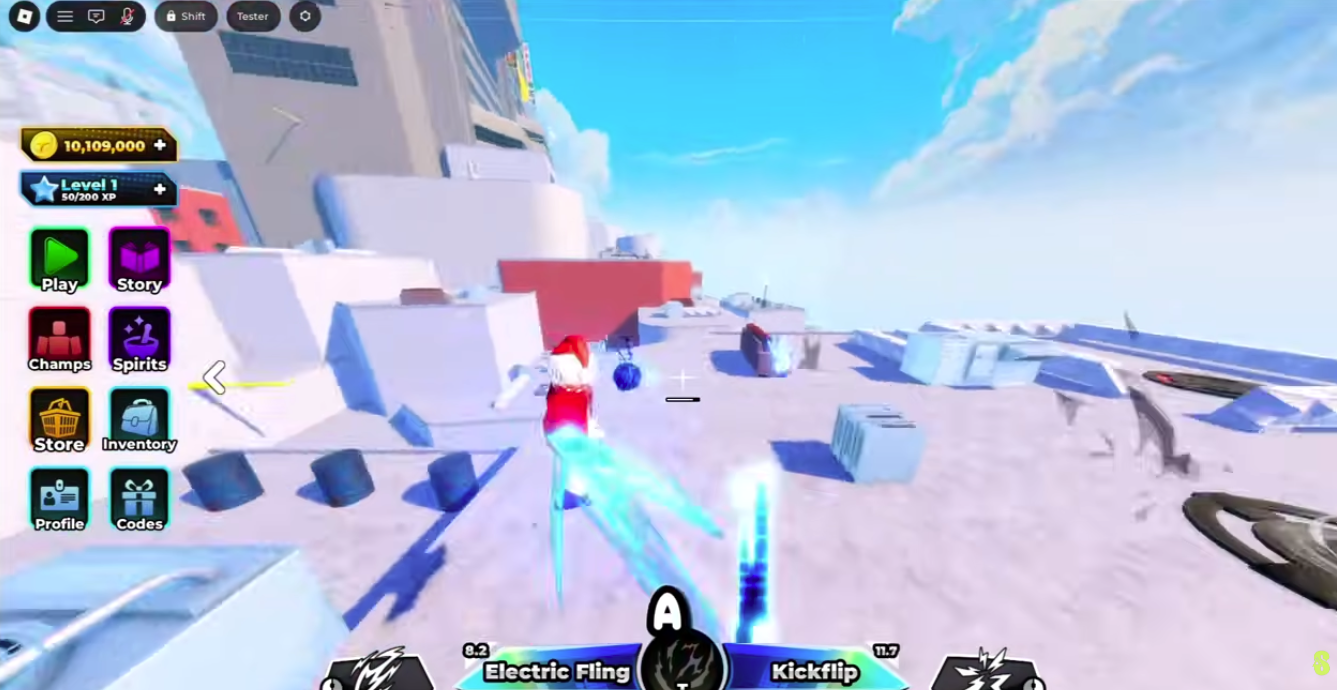
Before You Paste Codes (Quick Safety Check)
Real Parkour Champions codes are redeemed inside Roblox, inside the game UI. Avoid any site that asks you to log in, install something, or “verify” to get codes.
If you’re unsure whether you’re in the right game: this cluster is for “Parkour Champions [BETA]” by Studio 8K.
How to Read This Page (A 30-Second Workflow)
Step 1: Start with the Active / Working Codes table and redeem the newest “Last verified (UTC)” entries first. Those are the most likely to still be active after updates.
Step 2: If a code fails, don’t spam. Rejoin a server and retry once. If it still fails, treat it as expired or already redeemed and move on.
Step 3: If you need brand-new codes, use official/community channels (Discord and official links) and verify inside the game immediately. Random sites often copy each other without verification.
Step 4: After you redeem everything that works, decide how to spend Coins/Spins. Codes are most useful when they remove early bottlenecks—spend with a plan, not on impulse.
Last Verified Policy (So This Page Stays Accurate)
Use the table as a checklist: redeem the newest verified codes first. If a code fails, retry once after rejoining a server—then treat it as expired.
If you verify a code yourself, update the “Last verified (UTC)” value so future readers can trust what’s current.
How Codes Usually Work
Codes are limited-time promos that can award Coins and Spins. They often drop around releases, milestones, and patches—and they can be disabled without much notice.
This page stays useful by keeping three things obvious: where to redeem, which codes are reported working, and what to do when a code fails.
Why Rewards Look Different Across Websites
It’s common to see slightly different reward wording for the same code across different sites. One site may say “Super Spirit Spins” while another says “Super Spirits Spins.” In most cases, that’s just paraphrasing.
Treat the in-game reward text as the source of truth. If you maintain this page, prefer wording you can verify in-game and back it up with a last-verified timestamp rather than guessing.
If a reward seems meaningfully different (not just phrasing), assume one source is outdated. Verify again in-game and update notes.
How to Redeem Parkour Champions Codes
- Launch Parkour Champions on Roblox.
- Open the in-game Codes menu (bottom UI).
- Paste a code exactly (no extra spaces).
- Press Claim to receive rewards.
Codes Not Working? Fast Fix Checklist
- ✓Paste again with no leading/trailing spaces (spaces are the #1 failure).
- ✓Rejoin a new server and try once more (UI/server lag happens).
- ✓Assume the code expired if it still fails after one retry.
- ✓Double-check you’re playing Parkour Champions by Studio 8K (not another parkour game).
What To Do With Code Rewards (So They Actually Help)
Code rewards are most valuable when they reduce friction. If you get Coins, use them to support a stable progression plan. If you get Spins, consider saving a portion until you understand what you’re rolling for (Champions/Styles/Spin categories).
A practical spending rule is to split your resources into two buckets: a stable kit bucket and an experiment bucket. Stable kit spending aims to increase run consistency (fewer crashes, smoother transitions). Experiment spending is for trying new options without losing your foundation.
If you’re new, the best return is usually: redeem codes, practice movement for a short session, then spend to improve consistency—not to chase the flashiest option immediately.
Exclusive / Conditional Codes (What That Usually Means)
Some sources mention “exclusive” codes tied to Discord tasks, invite milestones, or special channels. That usually means the code isn’t in the public list or it requires a condition before you can see it.
When you see an exclusive code, don’t assume it’s fake. Verify the source (official/community channel) and try redeeming in-game. If it fails, it may be time-limited, condition-limited, or already disabled.
To keep this page practical, conditional codes should only be added to the main Active table if they can be broadly verified, otherwise they belong in notes.
Related Pages (From the Cluster Framework)
FAQ
How to Redeem
- Launch Parkour Champions on Roblox.
- Open the in-game Codes menu (bottom UI).
- Paste a code exactly (no extra spaces).
- Press Claim.
Expired Codes (Reported)
| Code | Status | Notes |
|---|---|---|
| Welcome | Reported expired | May be expired; keep here for history. |
| Test2 | Reported expired | May be expired; keep here for history. |
| SEEUSOON | Reported expired | May be expired; keep here for history. |
| Love | Reported expired | May be expired; keep here for history. |
| PARKOUR | Reported expired | May be expired; keep here for history. |
| THANKU | Reported expired | May be expired; keep here for history. |