
Wiki Cluster
Parkour Champions Codes Not Working?
A fast troubleshooting guide for Parkour Champions [BETA] by Studio 8K. Use this checklist to fix invalid codes, server lag, and copy/paste mistakes before you assume a code expired.
Start With the Verified List
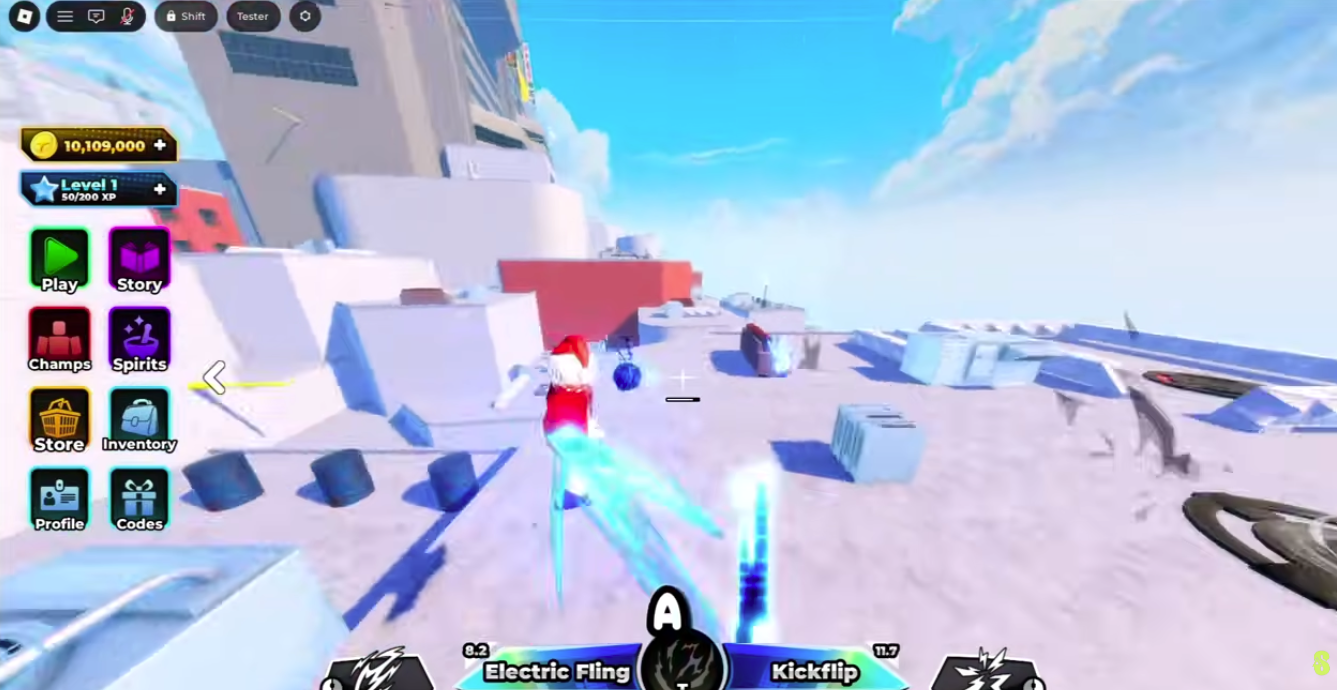
Codes Menu (Confirm You’re Using the Right UI)
First Principle: Don’t Over-Troubleshoot
Codes are time-sensitive. If you tried the correct code twice (once normally and once after rejoining) and it still fails, the most likely answer is that it expired or was disabled.
This page exists to help you eliminate the common “false negatives” quickly—especially copy/paste spacing issues and server/UI lag.
Why Codes Fail (The Common Causes)
Most Parkour Champions code lists include a warning that codes can expire or change at any time. That’s the baseline expectation: a code that worked yesterday can fail today.
However, many failures are not “real failures.” They are user input issues (extra spaces, wrong casing, typing errors), UI issues (lag, unresponsive buttons), or context issues (being in the wrong game or being gated by a tutorial flow).
If you treat troubleshooting as a short flowchart, you can avoid wasting time: check formatting first, check server/UI second, then accept expiration as the final conclusion.
The Fastest Troubleshooting Flow (Do This in Order)
- Confirm you are playing “Parkour Champions [BETA]” by Studio 8K (not a different Roblox parkour game).
- Copy the code again from the Codes & Updates page and paste it into the code box (do not type it).
- Delete any leading/trailing spaces before pressing Claim (spaces are the #1 failure).
- Press Claim once and wait a moment for UI feedback.
- Rejoin a new server and retry the code once more.
- If it still fails, treat it as expired/already redeemed and move on to the next newest verified code.
Spacing and Copy/Paste Issues (The #1 Problem)
Extra spaces break codes more often than anything else. A leading space at the start of the code or a trailing space at the end can cause the system to interpret your code as a different string and reject it.
To avoid this, paste the code, then use your arrow keys to move the cursor through the code. If you can move the cursor “past” the code without passing through letters, you likely have an invisible space.
If you suspect spacing issues, use a clean process: select all text in the input, delete it, paste again, then press Claim once. This reduces the chance that you left behind hidden characters.
Also avoid copying codes from formatted lists that add bullets or punctuation. Use plain text codes and paste only the code string itself.
Server/UI Lag and Timing Issues
Roblox experiences sometimes show delayed UI responses, especially around big updates or peak server load. That can make a valid code look invalid or make Claim appear to do nothing.
The best approach is controlled retries: press Claim once, wait briefly, and watch for any UI response. If the UI is clearly unresponsive, rejoin a new server rather than spamming the button.
Spamming makes it harder to diagnose because you can’t tell whether the system processed a request. It can also produce inconsistent results like delayed rewards or repeated error messages.
Already Redeemed (Why a Code Can ‘Fail’ Even If It Worked Before)
Many Roblox code systems are one-time per account. That means a code that worked for you last week will not work again today, even if it is still listed as active on some websites.
If you’re not sure whether you redeemed a code already, your best clue is your own workflow. If you redeemed a batch of codes recently, assume older codes are already used and focus on the newest verified entries first.
This is another reason last-verified timestamps matter: they guide you toward the entries that are more likely to be new for everyone.
Tutorial or Progress Gates (When the Codes Menu Doesn’t Show)
Some experiences hide certain UI features until you complete or skip early tutorial prompts. If you don’t see the Codes menu, first look for any tutorial or onboarding screens and finish/skip them.
If you still can’t see codes UI after onboarding, rejoin a server and check again. If the issue persists, confirm you are in the correct Parkour Champions experience by Studio 8K.
When a Code ‘Works’ for Others but Not You
This can happen for normal reasons: you already redeemed it, you pasted extra spaces, or the code expired between attempts. It can also happen when a code has conditions (event windows, community tasks, or other limited availability mentioned by some sources).
The best response is still the same: do one careful retry after rejoining, then stop. If it’s a condition-limited code, official/community channels will usually clarify the requirements. If it’s expired, further retries won’t help.