
Wiki Cluster
Parkour Champions Controls & Keybinds (PC)
A fast, repeatable cheat sheet for Parkour Champions [BETA] by Studio 8K. Includes the commonly listed keybinds and practical tips for chaining actions smoothly.
Quick Links
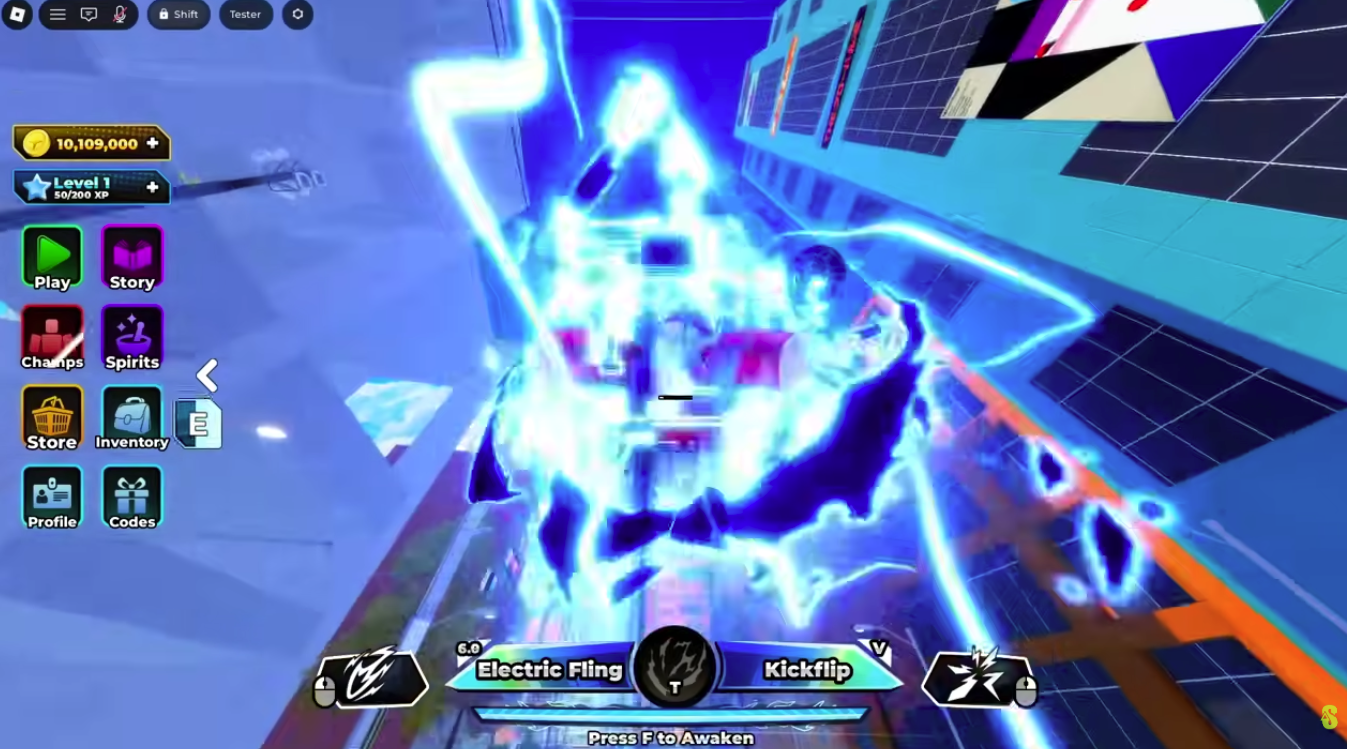
Style Ability Keys (Q / V / T) In Action
Scope Note (What This Page Covers)
This is a PC-focused cheat sheet. Controls can change as the game updates, and different platforms may show different UI prompts.
The keybind list below is based on commonly referenced third-party wiki controls tables and is intended as a quick starting point. If your in-game UI differs, trust the in-game prompts first.
Why Controls Matter More Than Rarity
In a parkour and racing game, your controls are your performance ceiling. It doesn’t matter how strong a kit looks on paper if your hands can’t trigger movement actions cleanly under pressure.
Most beginners feel slow because their inputs are inconsistent. They hesitate on jump timing, they press slide too late, or they swing their camera too aggressively at a wall. These are control problems, not “meta” problems.
If you want to improve fast, treat this page as a practice checklist. Don’t just memorize keys—attach each key to a single purpose in a movement chain.
PC Controls Cheat Sheet (Commonly Listed)
Movement: W / A / S / D
Jump: Space
Vault: Space (when close to a vaultable obstacle)
Swing: E (near a pole or interactable swing point)
Dive: Left Control (in the air)
Slide: Left Control (on the ground)
Wall Run: Space (near a wall when approaching with the right angle)
Style Ability 1: Q
Style Ability 2: V
Style Ability 3: T
Action Meanings (How Each Input Fits a Run)
Move (W/A/S/D) is obvious, but the important detail is direction management. Many players lose speed not because they lack sprint, but because they take turns too tightly and collide with geometry. Smooth direction changes keep momentum alive.
Jump (Space) is your default tempo tool. In a momentum-based game, jump timing controls whether you land cleanly and keep speed or land awkwardly and bleed speed. Use jump as a rhythm marker: press it with a consistent cadence rather than reacting late.
Slide/Dive (Left Control) is often two actions under one key depending on context (ground vs air). That means it’s easy to misfire. If you press it while slightly airborne, you might dive when you intended to slide. Beginners should practice pressing Left Control only after feeling the landing, then gradually speed up as timing improves.
Wall Run (Space near a wall) is an angle skill. You don’t wall run by “touching a wall”; you wall run by approaching a wall with a stable trajectory. If you approach with a sharp camera snap, you are more likely to collide or lose speed.
Vault (Space near an obstacle) is about not wasting vertical movement. Vaulting can keep flow where a hard jump would stall you. Your job is to recognize which obstacles want a vault rather than a big jump.
Swing (E) is commonly used for interactable movement points. Swinging is strong when it preserves momentum and gives you a clean line into your next action. It’s weak when you swing without a plan and land facing a bad direction.
Style keys (Q/V/T) are your ability slots. Treat them like “commitment buttons”: use them to solve specific movement problems (gap, height, recovery, direction change) rather than pressing them whenever they’re off cooldown.
Practice Drills (10 Minutes, No Guesswork)
- Drill 1 (Jump Rhythm): Run forward and jump every time your character hits a repeating ground pattern. Keep the camera steady and focus on consistent timing.
- Drill 2 (Slide Timing): Run, jump, and press Left Control only after landing. Repeat until you never dive by accident.
- Drill 3 (Wall Run Entry): Approach a wall with a gentle angle and attempt wall run. If you collide, widen your approach angle and reduce camera snapping.
- Drill 4 (Swing Planning): Find a swing point. Practice swinging and landing facing your next direction. Don’t swing again until you can land cleanly three times in a row.
- Drill 5 (Ability Discipline): During a short route, allow yourself to use only one Style key (Q or V or T). The goal is to learn when an ability is truly useful rather than using everything automatically.
Common Input Mistakes (And What To Do Instead)
- ✓Mistake: Sliding too early and killing speed. Fix: slide after landing and only when it helps your line or clears an obstacle.
- ✓Mistake: Turning the camera sharply into a wall run. Fix: approach with a smooth arc and keep camera movement minimal.
- ✓Mistake: Using Style keys as spam. Fix: assign each key a purpose (gap, height, recovery) and only press when that purpose appears.
- ✓Mistake: Jumping randomly to “feel faster.” Fix: jump with intention—use it to maintain rhythm and clean landings.
- ✓Mistake: Learning routes without learning transitions. Fix: practice the two seconds before and after each obstacle, not just the obstacle.