
Wiki Cluster
Universal Tower Defense Codes (UTD)
Copy-friendly table + redeem steps + fast troubleshooting when codes don’t work.
Working Codes (Last Seen List)
| Code | Reward | Source note | Last seen (UTC) | Status |
|---|---|---|---|---|
MaintenanceTomorrow_0.5! | +50 Rerolls | Compiled from common code lists | 2025-12 | Unverified |
MerryChristmas | 100 Trait Rerolls + Stat Rerolls/Locks (varies by source wording) | Compiled from common code lists | 2025-12 | Unverified |
YT10k! | 2,000 Gems | Compiled from common code lists | 2025-12 | Unverified |
ThankYou30M | 500 Gems + 15 Trait Rerolls | Compiled from common code lists | 2025-12 | Unverified |
UnrivaledIsAlive | 800 Gems + 20 Trait Rerolls | Compiled from common code lists | 2025-12 | Unverified |
ThankYouFor150k | 1,500 Gems + 50 Trait Rerolls | Compiled from common code lists | 2025-12 | Unverified |
ThankYou100k | 100 Trait Rerolls | Compiled from common code lists | 2025-12 | Unverified |
HereyougoEA! | 2,000 Gems + 20 Trait Rerolls + 5 Stat Locks (Early Access) | Compiled from common code lists | 2025-12 | Unverified |
ThousandsOfCodes! | 800 Gems + 15 Trait Rerolls | Compiled from common code lists | 2025-12 | Unverified |
MaxedOut! | 600 Gems + 10 Trait Rerolls | Compiled from common code lists | 2025-12 | Unverified |
SixSeven! | 67 Trait Rerolls | Compiled from common code lists | 2025-12 | Unverified |
FixingBugs! | 450 Gems + 25 Trait Rerolls | Compiled from common code lists | 2025-12 | Unverified |
75kLikes! | 400 Gems + 10 Trait Rerolls | Compiled from common code lists | 2025-12 | Unverified |
NumberOne! | 500 Gems + 15 Trait Rerolls | Compiled from common code lists | 2025-12 | Unverified |
Universal! | 450 Gems + 15 Trait Rerolls | Compiled from common code lists | 2025-12 | Unverified |
Mainstream! | 450 Gems + 15 Trait Rerolls | Compiled from common code lists | 2025-12 | Unverified |
ThankYouUTD! | 400 Gems + 5 Trait Rerolls | Compiled from common code lists | 2025-12 | Unverified |
40kCCU! | 4,000 Gems + 40 Trait Rerolls | Compiled from common code lists | 2025-12 | Unverified |
UNRIVALED! | 200 Gems + 5 Trait Rerolls | Compiled from common code lists | 2025-12 | Unverified |
THANKYOU! | 400 Gems | Compiled from common code lists | 2025-12 | Unverified |
RELEASE! | 400 Gems | Compiled from common code lists | 2025-12 | Unverified |
Redeem Codes Inside the Game UI
What This Codes Page Is (And What It Isn’t)
This page is designed to be a reliable Universal Tower Defense codes hub, not a hype list. Codes change quickly, and different sites sometimes disagree about whether a code is active. Instead of pretending every code is guaranteed, the table keeps a simple status approach: last-seen notes, a timestamp window, and a place to move codes when they become expired.
If you are maintaining the site, the best practice is verification: redeem in-game once, then write down the timestamp. If you are a reader, use the copy button and check the “Last seen” field as your quality signal. A recently seen code is more likely to work than a code with no context.
Video: Universal Tower Defense Codes (Redeem Walkthrough)
Important Notes
Codes can expire quickly. Keep a “last seen/verified” timestamp when you confirm a code works.
Codes can be case-sensitive. Copy/paste prevents most failures.
Some searches mix UTD with similarly named games; make sure you’re in Universal Tower Defense (UTD).
Copy/Paste Matters (Casing + Punctuation)
Codes Not Working? Fast Checklist
- ✓Check casing and punctuation (exclamation marks and underscores matter).
- ✓Remove trailing spaces (mobile copy/paste can add them).
- ✓Try a new server after updates (UI/state can desync).
- ✓If a code is old, assume it may be expired even if a site lists it as active.
- ✓Confirm you’re in Universal Tower Defense (UTD), not a similarly named tower defense game.
Disambiguation: UTD Codes vs “Anime Universal Tower Defense” Codes
A common search pattern is “anime universal tower defense code” or “tower defense universal code.” Those queries can lead to code lists for different games. If you copy a code from the wrong experience, the UTD redeem UI will correctly reject it as invalid.
If your UI looks different from the redeem walkthrough video, pause and verify the Roblox experience name. The safest way is to open Universal Tower Defense from your own Roblox history or from a trusted official/community link, then redeem codes inside that same experience.
Why Sites Disagree on “Active” vs “Expired”
Some code lists label codes “active” as long as they were active recently, while others move codes to “expired” as soon as players report failures. Both approaches are trying to solve the same issue: codes can flip quickly, especially around updates.
If you want the most accurate result, treat every code as “active until proven expired” and try it in-game with copy/paste. If it fails across multiple servers and multiple attempts, assume it is expired and move on.
How to Use Rewards (Gems, Rerolls, Trait Rerolls)
Most UTD code rewards exist to accelerate decisions: gems help you unlock options faster, rerolls help you chase a better setup, and trait rerolls/locks reduce randomness on your best units.
A simple rule: spend rewards only after you know your target. Use the Tier List & Meta page to decide what role your team needs (farm, support, air, hybrid), then spend rerolls/traits to strengthen that plan.
A Practical Spending Order (So Rewards Don’t Get Wasted)
If you are early game, prioritize unlocking a stable team plan over chasing perfection. First, ensure you can field a farm/economy option and a reliable wave-clear unit. Then add air coverage. After that, support/control becomes the multiplier that makes runs consistent.
Only once you have a stable baseline should you spend trait rerolls heavily. Trait optimization is powerful, but it is also the easiest place to waste resources if you don’t know which unit you are committing to.
Update Log Template (For Maintainers)
Last checked (UTC): YYYY-MM-DD HH:mm
New codes added: list the newest codes you verified or last-seen.
Codes moved to expired: list any codes that fail consistently.
Notes: UI changes, redeem button moved, patch day server desync, or common player reports.
Related Pages
How to Redeem
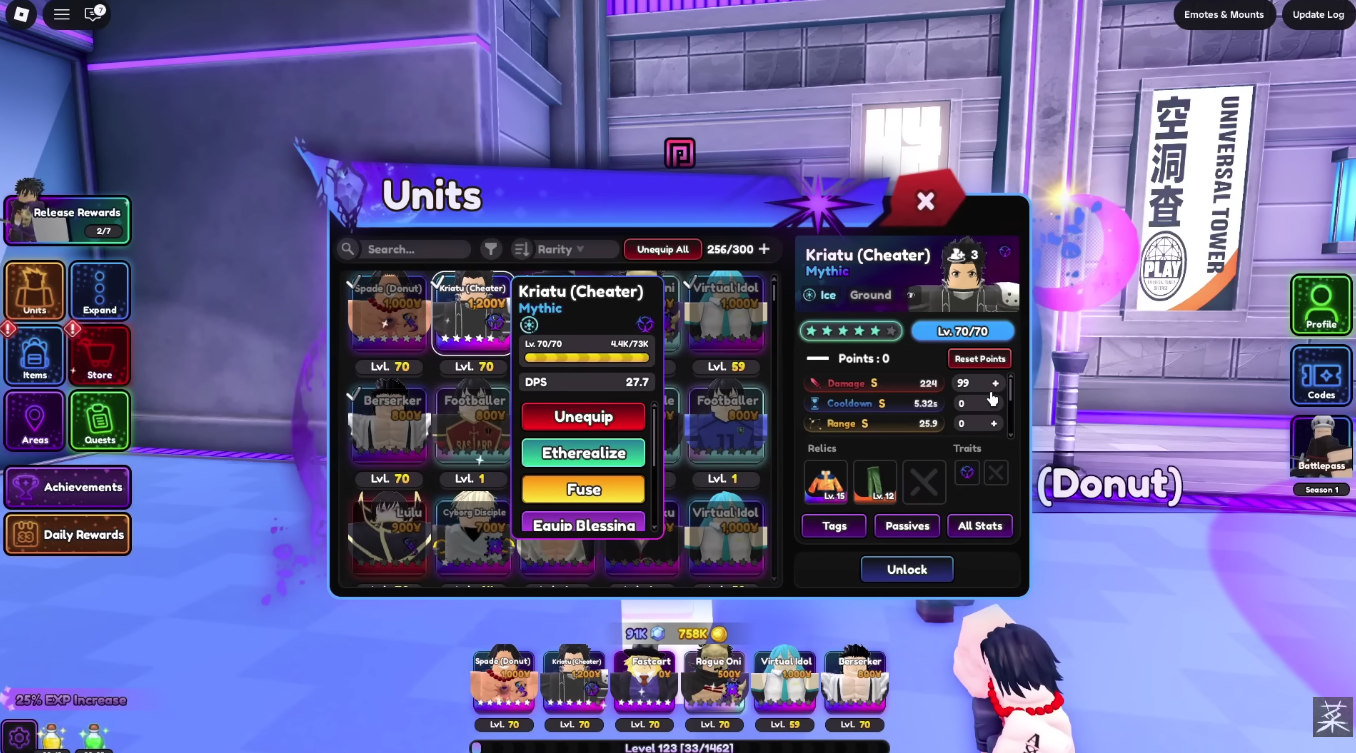
- Launch Universal Tower Defense in Roblox.
- Find the Codes button/icon in the game UI (often on the left side).
- Paste the code exactly (codes can be case-sensitive) and press Redeem.
- If it fails, use the checklist below and try a new server after updates.
Expired / Possibly Expired Codes (Keep for History)
| Code | Notes |
|---|---|
| SorryEA! | Listed as expired in some sources; try in-game to confirm. |
| SorryEA2! | Listed as expired in some sources; try in-game to confirm. |